
Electric Gate Opens But Won't Close? Diagnose and Fix It
Electric gate opens but won't close? Check sensors, limit switches and the control board safely, then know when to call a qualified gate engineer.
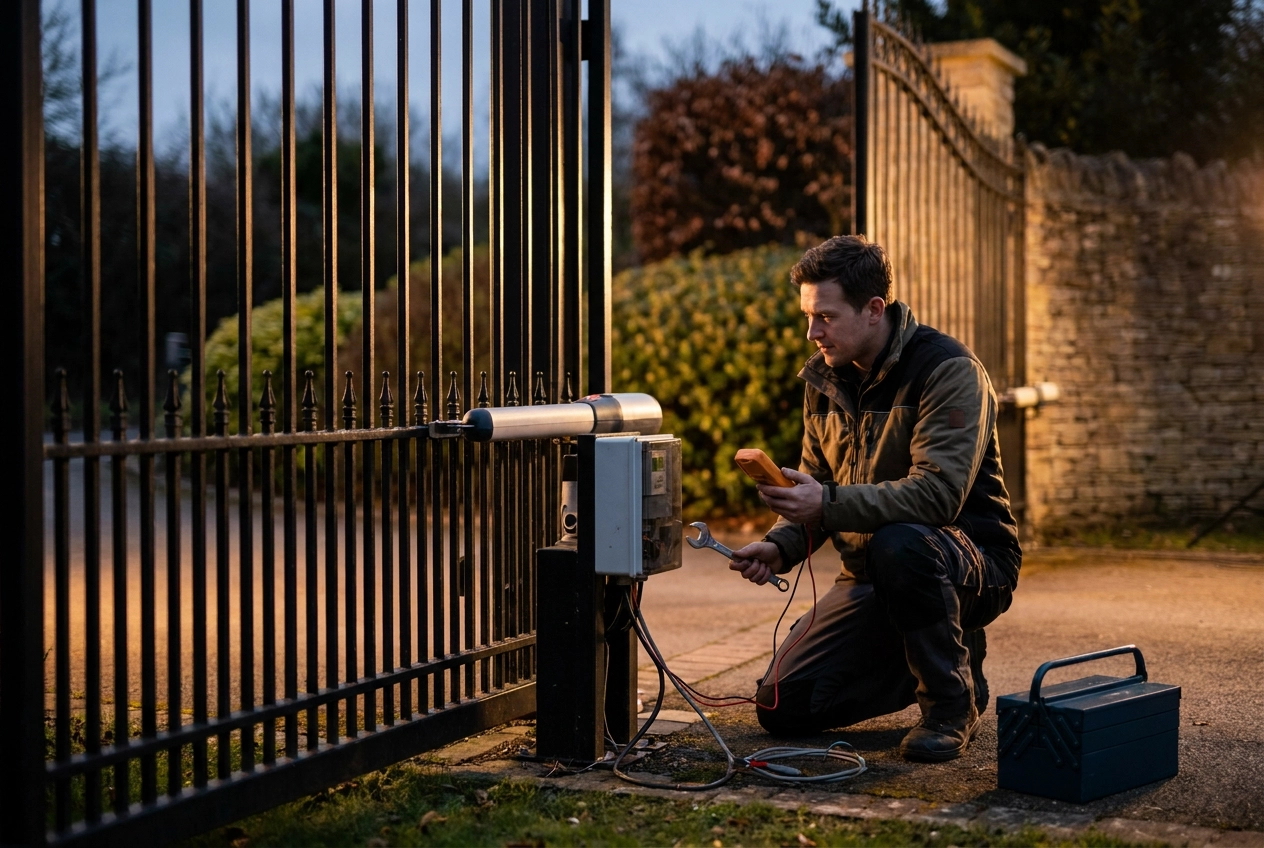
An electric gate that opens but will not close is more than a nuisance. It leaves a driveway or site unsecured, and it often points to a safety device doing its job. Before you reach for tools, remember the HSE safety alert FOD 7-2010: powered gates must be tested for opening and closing forces within British and European standards, must reverse if they hit a person or object, and must have a reliable emergency release. Guessing at a repair without understanding those requirements can turn a simple fault into a serious trapping hazard.
This guide gives intermediate troubleshooters an ordered repair path. You will begin with Safety First: What You Must Not Do While Troubleshooting and Before You Start: Tools, Access and Stop Conditions. From there, you will trace How a Gate Decides to Close, then examine five causes: safety sensors and edges, limit switches and travel settings, control board faults and error codes, remotes and access control, and power supply, mechanical binding, and thermal cut out. You will review safe repair steps, know when to call a qualified gate engineer, and adopt maintenance habits that prevent close faults. Diagnose in order, and repair only what you can do safely.
Safety First: What You Must Not Do While Troubleshooting
Isolate power at the gate's dedicated isolator before opening any control enclosure, and confirm no handset or keypad can command the gate while you work near it.
Never bypass, remove or disable the reversal function, force limiting or photoelectric sensors to force a gate closed. These devices stop a closing leaf crushing or trapping a person. If it still will not close, book Emergency Electric Gate Repairs rather than defeating a safety device.
HSE safety alert FOD 7-2010, issued 2 September 2010, applies to gate manufacturers and installers and may apply to anyone maintaining powered gates. It requires opening and closing forces within the applicable British and European standards and reversal when the gate meets a person or object. Verifying this needs force measuring equipment, so it is a job for a qualified installer.
Crush and trap points such as bars passing the gate post must stay guarded, and the emergency release must remain usable. Do not modify the mechanical assembly or safety devices to work around a closing fault.
Treat the bulletin as a floor, not a ceiling. Confirm current requirements against the manufacturer's manual or with a qualified gate engineer.
Before You Start: Tools, Access and Stop Conditions
Before you touch anything, gather the right information and kit.
Find the installation manual and technical file first. Limit settings, error codes and sensor behaviour are model specific, so check them rather than assume; safety depends on how your site's components are combined, as HSE guidance on powered gates explains.
Have a torch, insulated screwdrivers, multimeter, clean cloth and spare handset batteries to hand. Photograph wiring and limit positions before you disturb anything; a phone camera is useful.
Locate the isolator, enclosure key and manual emergency release before you begin, so you can cut power instantly or free someone if a test goes wrong.
Confirm the gate's weight class and whether it serves a shared, commercial or agricultural entrance. Heavy or shared gates should be left to a competent person, not adjusted by hand. For a replacement, compare making the right choice for your property.
Stop if the enclosure shows water ingress, burning smells, scorched terminals or exposed conductors, or if the leaf, post or hinge shows impact damage.
How a Gate Decides to Close: The Sequence to Trace
A closing cycle runs in a fixed order: the control board receives a close command, confirms safety devices are clear, drives the motor, then stops at the close limit. A fault at any link leaves the gate open. The sequence is identical on a sliding gate.
Watch the board's LEDs or status display while you press the handset. If nothing lights, the command is not arriving, so suspect the controls. If the board registers the command but the leaf stays put, the fault sits in the gate or a held-open input.
A leaf that starts to close then reverses may suggest a safety device or force setting. A leaf that never moves may suggest a problem in the command path. A leaf that closes part way and stalls without reversing may suggest travel settings, mechanical binding or a thermal cut-out, not a sensor.
Work through the causes below in order, changing one thing at a time, so you know which adjustment actually solved the fault.
Cause 1: Safety Sensors and Safety Edges
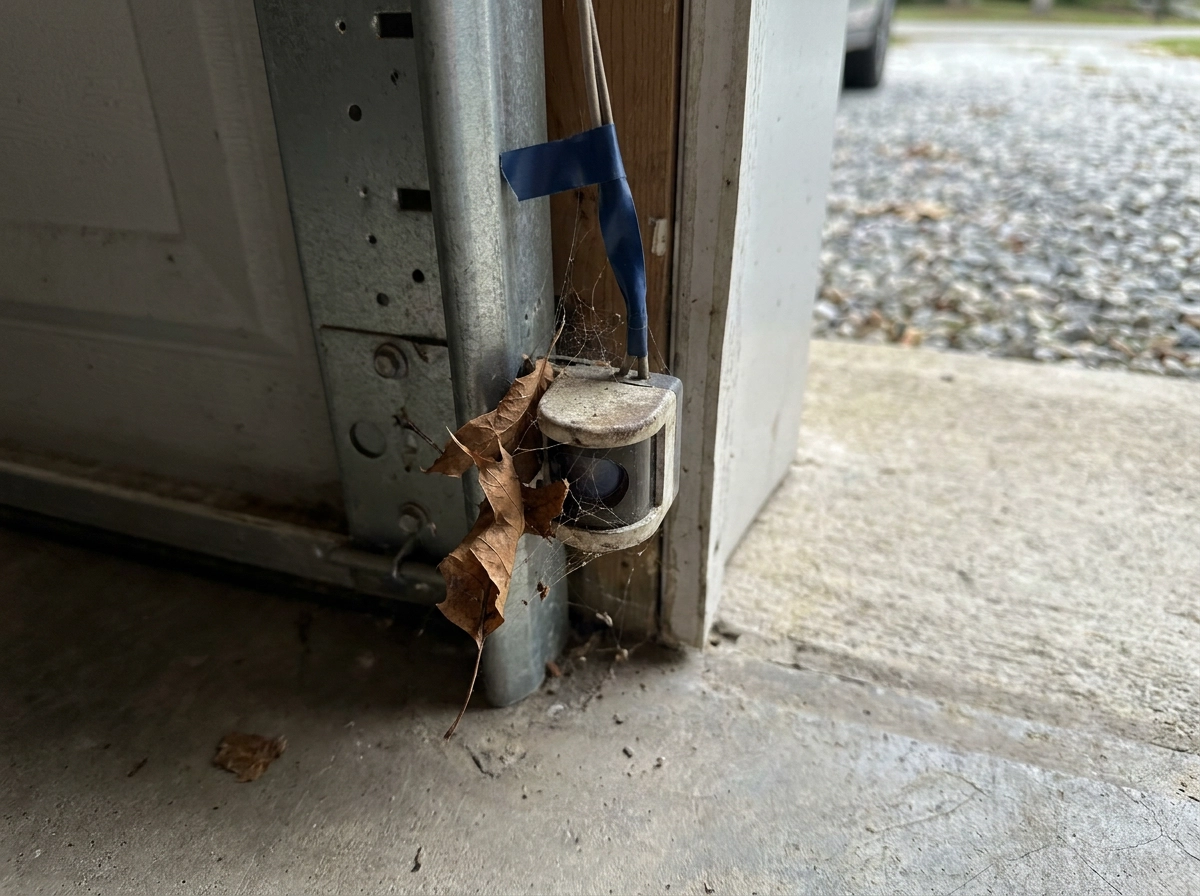
Safety devices are the first thing to check, because a broken beam tells the board an obstruction is present and it will refuse to close. Treat this as the most likely cause, not a proven one, and confirm it against your manufacturer's manual. Look for the obvious first: leaves, long grass, spider webs, parked cars, trailers or bins in the beam, and lenses fogged with condensation or coated in grime. Then check transmitter and receiver alignment, loose brackets, and low sun or headlight glare into the receiver, any of which can interrupt the beam when the path looks clear. Safety edges can be damaged or misaligned; if your manual describes an obstruction fault on every close cycle, inspect the edge wiring and consult the manufacturer's fault-code guidance, and never defeat a safety device to force a close, as covered in the Safety First section above. Maintenance of your electric driveway gates keeps these devices reliable.
Cause 2: Limit Switches and Travel Settings
With the beam path clear and sensors ruled out, move to where the leaf finishes its stroke. A gate that reaches the end of its travel and stops without sending a closed signal usually has a limit or travel setting fault, not a motor fault.
Magnetic and mechanical limits can shift or lose reliable contact over time, particularly after impacts or in exposed locations; consult your manual for the type fitted.
Travel and slowdown positions are stored in the control board, so stored positions can sometimes be lost or altered; check your manual for whether a re-teach is needed after a power interruption or board change.
Watch for the leaf stopping short of the post, closing past the point it should stop, or reversing the moment the close stroke begins.
Re-teach travel using the manual's procedure on many domestic kits. For heavy or commercial gates, always have an installer verify limits and forces. Regular maintenance, servicing and repairs keep settings stable. If settings will not hold, suspect the control board next.
Cause 3: Control Board Faults and Error Codes
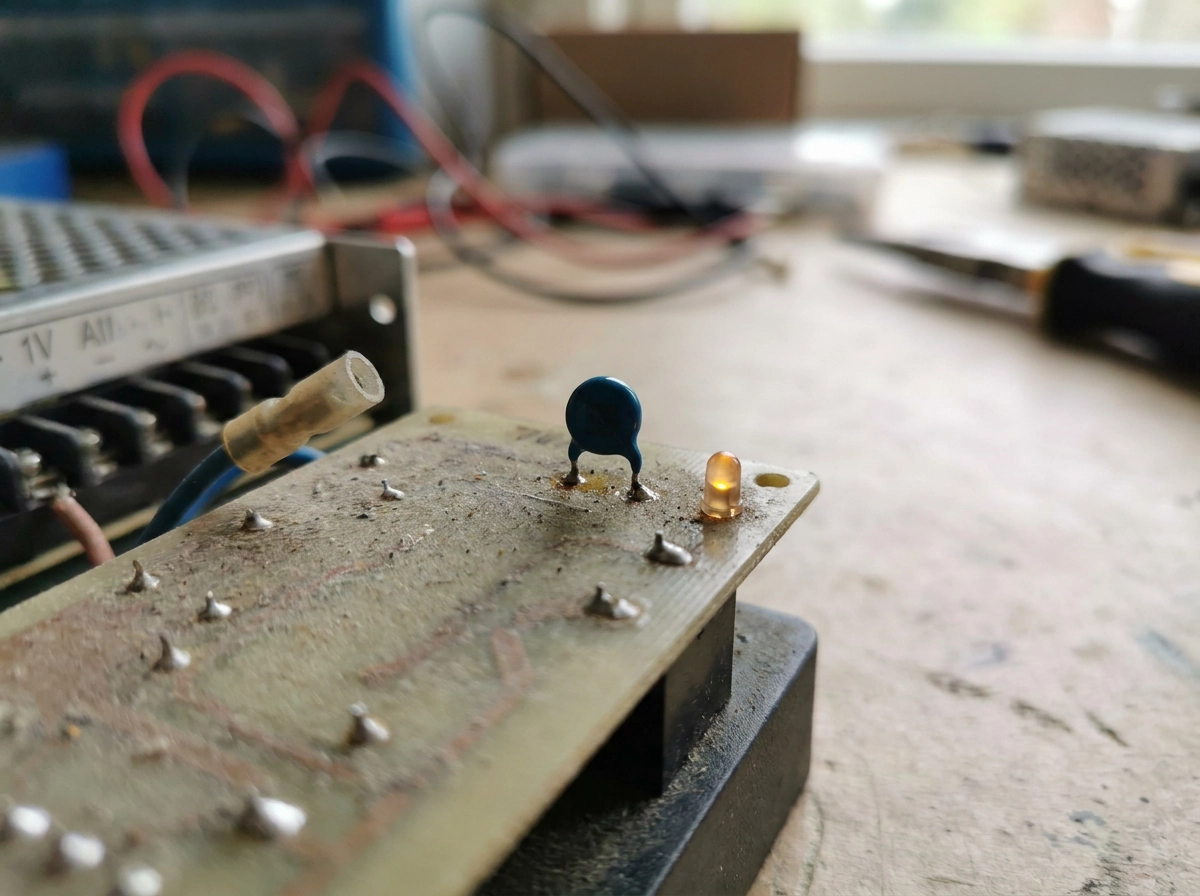
If travel settings check out, the next likely culprit sits on the board itself. Some controllers indicate faults via LEDs or status displays, check your manual to interpret any codes before touching the board. Water ingress, loose connections and age-related component wear can all produce faults that affect only one direction of travel; inspect the enclosure for moisture, loose terminals and physical damage. If you suspect a board-level hardware fault, consult a qualified engineer rather than attempting component-level repair. Photograph the wiring before disturbing it. If the board needs replacing, fit the same or a manufacturer-approved unit so the safety configuration and technical file stay valid. Persistent board faults often fall within wider electric gate repairs.
Cause 4: Remotes, Keypads and Access Control
Next, check the commands feeding the board. If the handset opens the gate but will not close it, check its programming in the manual: some systems assign buttons differently for opening and closing; check your handset's manual for the correct close command. Keypads, intercoms and timers may have a hold-open function; check whether one is active in the system settings. If a vehicle loop detector is fitted, a fault may cause the system to act as if a vehicle is present; have the loop checked by a qualified engineer rather than bypassing it, as it forms part of the gate's safety setup and its maintenance and servicing schedule. Radio interference, a flat handset battery or a failed receiver channel causes intermittent operation that feels like a closing fault but is really a command problem. Where a hardwired or onboard button exists, test with it: a close from that button proves the fault lies in the command path, while a refusal points to the drive or safety circuit.
Cause 5: Power Supply, Mechanical Binding and Thermal Cut Out
If the command path is proven and the leaf still will not drive closed, suspect power or load. On battery-backed systems, a low or failing battery may deliver enough power to open but not to close; check battery condition and the charging circuit per your manual.
Voltage drop over a long or undersized cable run, or a failing transformer, leaves the motor short of torque where the load peaks.
Thermal overload protection cuts the motor after repeated cycles; reset time varies by model, consult the manufacturer's manual. If the gate closes after a rest, overheating or excess load is the likely cause. Mechanical resistance, such as a leaf rubbing the post, debris in the track or hardware that has shifted over time, can increase the load on the close stroke; inspect the running gear visually before assuming an electrical fault. Storm debris, ice and settled leaves are seasonal causes worth ruling out first. Mechanical correction should be made by someone competent, so the gate stays within its design limits. Routine servicing of the motor and running gear catches these early.
Repair Steps You Can Carry Out Safely
Once load and supply problems are ruled out, work through these checks in order, stopping if any step reveals damage or a safety device fault.
Clear and clean the safety beam path. Remove foliage and debris, wipe the sensor lenses and reflector, then check the heads face each other squarely before anything more technical.
Restore power at the isolator and retry from the handset while watching the control board's LEDs. This shows whether the close command is being received and acted on.
Replace handset and keypad batteries. If open still works but close does not, re-sync the handset to the receiver using the manual.
Check the manual release is fully re-engaged after any emergency use, and retest.
Lubricate and free the running gear only as the manual allows. Keep the enclosure closed and dry, and note what you changed and when, so an engineer has a clear history if the fault returns.
When to Call a Qualified Gate Engineer
If the gate still refuses to close after those checks, stop resetting and call a qualified engineer. As noted in the Safety First section, confirming forces requires dedicated measuring equipment, a job for a qualified engineer.
Any repair affecting a safety device, force limiting or the control board should be carried out by a competent installer who can document the work and confirm the gate remains compliant. Call a professional if fuses blow or breakers trip, if the enclosure shows burning or water, or if the gate is heavy, commercial, shared or agricultural.
Symptoms that come and go, such as a gate closing only when warm or on certain days, point to failing components needing proper diagnosis, not repeated resets. Portara Automation installs and repairs gate automation across East Sussex, West Sussex and Kent, covering fault diagnosis, safety device replacement and compliant upgrades to older systems.
Maintenance Habits That Prevent Close Faults
Calling an engineer solves today's fault; maintenance stops the next one. A planned routine catches the slow drift that precedes most close faults.
Book a service regularly, your manufacturer's manual will give a recommended interval; heavier-use and more exposed gates typically need more frequent attention. Confirm the scope with your provider so nothing is skipped.
Test the safety devices regularly: walk through the safety beam and press the safety edge during a closing cycle. Record each result so gradual deterioration is visible rather than sudden.
Keep the beam path clear all year. Prune hedges back, move bins, trailers and garden furniture out of the entrance, and clear snow and ice in winter.
Check the control enclosure after storms. Gaskets and cable glands should seal, with no standing water inside. Keep the emergency release accessible and show everyone who uses the gate how it works.
Store the installation manual and service records together. Good documentation speeds every later diagnosis and supports the gate's CE compliance. Together, these habits turn a recurring close fault into a rare event.
Conclusion: Diagnose in Order, Repair Only What You Can
Good maintenance prevents many close faults, but when a gate opens and refuses to close, work through the causes in order. Safety beams and edges are the most likely culprits, so check sensors first, then limits, the board, controls and power.
Stick to repairs you are competent to make: clearing obstructions, cleaning sensors, replacing batteries and re-engaging the manual release. Force settings, safety devices and control boards are not.
If any of the professional triggers listed above apply, call a qualified installer such as Portara Automation. We repair and service gate automation to a compliant standard across East Sussex, West Sussex and Kent.