
One Gated Entrance for Deliveries, Trades and Visitors
One credential tier fails the first time a parcel arrives. Build layered gate entry: camera intercom, time-limited codes, out-of-hours rules.
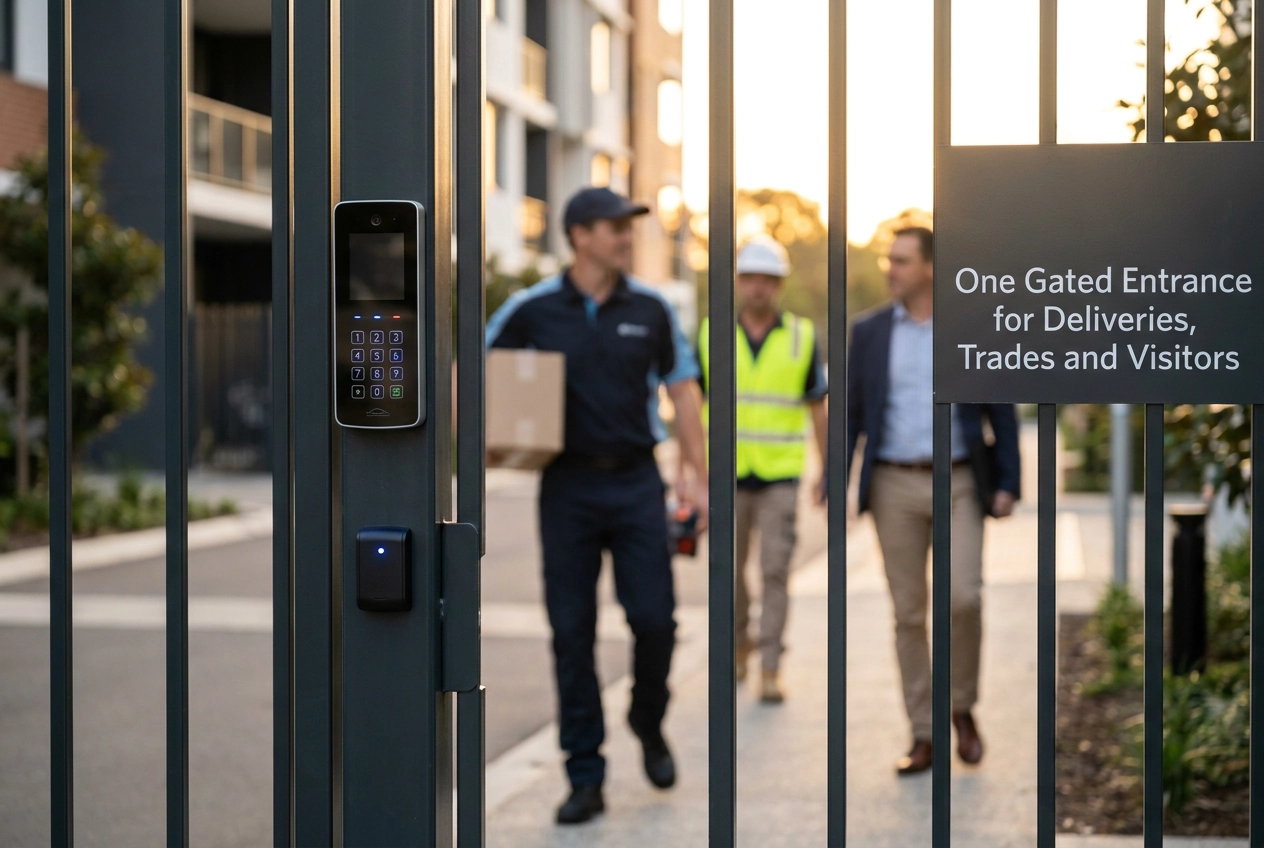
One credential tier for everybody fails the first time a parcel arrives. That is the uncomfortable truth behind most shared-entrance access problems. A commercial site or multi-home gate must serve residents and staff who hold fobs, but it must also serve couriers, contractors, carers, and guests who will never be issued one. Gate intercom systems sit at the centre of that problem, yet the answer is not a single product. It is a layered entry strategy backed by a written policy.
This tutorial takes an operations-level view for site and property managers. We start with why a single credential tier collapses under everyday pressure, then look at what guidance such as Secured by Design expects from a shared or communal entrance. From there, we set out the three-tier entry model: a gate camera and intercom for unknown callers, time-limited codes for trades and couriers, and permanent credentials for residents and staff. We then cover the out-of-hours procedure, a site policy checklist, and how to layer the entrance before you buy anything.
Why One Credential Tier Fails the First Time a Parcel Arrives
A single credential tier, whether a fob, a keypad code or a key, assumes everyone who arrives can be issued one. Couriers, one-off contractors, carers on a rota and guests cannot, so the model breaks before the site is under pressure.

A Monday morning: a parcel arrives for a flat where nobody is home. The driver rings, waits, then leaves the parcel at the barrier or takes it away. The site pays for that delivery twice, and the resident blames the gate.
The error is conflating authorisation with the credential. Authorisation is who may enter; the credential is what lets them. Sites that merge the two get a gate that either refuses everyone without a phone call or admits everyone on one shared code.
Non-fob users at a typical commercial or multi-home site include: Royal Mail and parcel couriers, scheduled trades, care workers, cleaners, food delivery, meter readers, guests of residents or tenants, and emergency call-out contractors. That list usually outnumbers the resident list. A workable plan starts with credential types in commercial gate access control systems.
The cost appears indirectly: managers taking calls at all hours, gates propped open with a brick, tailgating behind a resident who wants to get home, and no entry record. These symptoms are exactly what security standards and credentials to look for prevent.
What the Guidance Expects of a Shared or Communal Entrance
Start from what the guidance already assumes. Secured by Design New Homes 2014 expects visitor door entry at communal entrances to give each dwelling colour images and audio, not one shared panel. It also expects security-encrypted proximity keys that resist unauthorised copying, with visible ID numbering so a lost or misused credential traces to a person, and frames proximity access around compartmentalisation: one credential should not open a plant room, store or individual front door.
Its emergency exit requirements are equally specific. Resettable stainless steel devices replace break-glass units; a pressed-and-released button holds the door unlocked for at least three minutes; operation must not need both hands. Verify the Part M clause citation, and note the roughly £500 plus VAT fitted cost is a 2014 figure.
Data protection constrains the camera side. Where a camera cannot be justified on proportionality grounds, consider improved lighting or physical shutters as alternatives. Recording callers needs a purpose, retention period and signage, and ICO guidance is under review following the Data (Use and Access) Act. Access control costs reflect this layering; always check current SBD and ICO guidance.
The Three-Tier Entry Model at a Glance
With those constraints established, the operational answer is a three-tier model in which every credential expires in step with the relationship it represents.
Tier 1, the gate camera and intercom, handles anyone whose arrival is unscheduled and whose identity is unknown in advance. The visitor is seen and spoken to, then admitted for a single release.
Tier 2 covers people who come regularly but for a defined period: trades on a booked job, care workers on a rota, a named courier driver within a delivery slot. They receive a time-limited code or temporary credential that expires on its own.
Tier 3 is a permanent credential for residents, tenants and staff with an ongoing right of access.
The design rule is simple: match the lifetime of the credential to the length of the relationship. A stranger gets a one-off release, a three-week contractor gets a three-week code, a resident gets a fob.
Treat this as recommended operational practice for shared entrances, not a regulatory requirement or a published industry standard. It is the difference between a gate that works quietly and one that ends up permanently propped open.
The model only holds together when the access control and intercom on the gate are networked and can be programmed remotely, so credentials can be issued, amended or cancelled without sending someone to site with a laptop. On older gate intercom systems, fobs were programmed at the panel itself; networked access removes that trip and makes revocation same-day.
The sections that follow take each tier in turn and show what it looks like in daily operation.
Tier 1: The Gate Camera and Intercom for Unknown Callers
Tier 1 delivers two things at once: a picture of who is at the entrance and two-way audio. A gate camera and intercom identifies and releases a courier in under a minute, with nobody walking a long drive. Script every call: who they are with, who they are here to see, and whether the visit is expected. A consistent script stops a confident caller talking past reception or a tired resident.
Decide parcel handling before it is tested. Options include a lockable delivery point outside the gate, a nominated neighbour, or written carrier instructions that deliveries are signed for only during staffed hours. Put it on the entrance, not in a drawer.
Match camera height and lighting to the entrance rather than the gate mechanism. A wide-angle lens at head height in an unlit lane records silhouettes, not faces, which is no help in a dispute months later.
Record only what you can justify. Caller images and audio are personal data, so set a purpose, keep retention short, display signage, and consider whether less intrusive options would achieve the same purpose, the ICO guidance on CCTV and video surveillance sets out the questions to work through. Specify access control integration that logs releases as well as calls, and release once for a short timed period rather than holding the gate open, which cuts tailgating.
Tier 2: Time-Limited Codes for Trades, Carers and Couriers
The largest group at most gates is neither the stranger nor the resident. It is the people whose visits are predictable but not permanent: contractors on a booked job, care workers on a rota, regular cleaners and a named courier driver on a set round. These users qualify for a time-limited code, not a fob.
Set the code to the visit window plus a small margin and let it expire automatically. A code running 09:00 to 17:00 on booked days is safer than a shared trades code that lives forever and gets passed around three companies. Issue one code per person or per organisation, never one shared code for a whole crew; if you cannot say who held a code on a given date, it is not a credential, it is an open door.
Put issue and revocation in writing. Record who holds what, why, when it was issued and when it expires, then cancel the old credential the day a contractor leaves the job or a carer changes rota.
Intercom gate systems with keypad or app-based release let you issue and cancel codes remotely. Pair each with a verification step at the gate: a branded vehicle, uniform or photo ID held up to the camera. Care workers often carry agency identification, so ask to see it rather than assuming the rota is enough.
Permanent credentials for residents and staff carry their own rules.
Tier 3: Fobs and Permanent Credentials for Residents and Staff
Residents, tenants, leaseholders and staff hold Tier 3 credentials, an ongoing right of access, not a visit-by-visit permission. Everyone else should hold a limited credential, however much they complain about it.
Choose proximity credentials that meet the encryption and ID-numbering standard described in the guidance section.
Apply compartmentalisation. Opening the site gate should not open the plant room, the store, the bin area or an individual front door. One credential should mean one level of access, not a master key to the whole property. Wider access control options, from key fobs to ANPR, follow the same principle.
Give staff credentials an end date and run a leavers process. A fob handed back cannot be sold or passed on, and a written record of issue is what makes that enforceable with an agency worker or departing contractor.
Handle guests through the resident rather than the gate. A remote release over the intercom, or a short-term credential issued to the resident for one stay, beats a spare fob under a plant pot because it can be cancelled when the visit ends. Permanent credentials only work while the site is attended; the out-of-hours procedure covers the rest.
Writing the Out-of-Hours Procedure
With permanent credentials settled, the remaining risk is everything that happens when nobody is on site. Name the out-of-hours contact by role, not person, with one number per problem category: site access, gate faults, and emergency attendance. A mobile that changes with the site manager is not a procedure.
Write a decision tree for arrivals outside staffed hours. State which carriers may leave a parcel, and where (lockable delivery point, nominated neighbour), which must be refused or rebooked, and the exact words the driver is told at the intercom. Print it on the panel so the answer is standing at the entrance.
Emergency services need a documented, tested route at any hour. Check the emergency-exit baseline noted in the guidance section above against current SBD requirements before specifying hardware.
Then list failure modes with a named fallback and a manual release any staff member can operate: power cut, intercom fault, camera offline, lost fob, refused code, gate stuck open. Anyone attempting these should read Safety First: What You Must Not Do While Troubleshooting first.
Review after every incident and at least annually, recording what changed and why. An untested document is one nobody reaches for.
Turning the Model into a Site Policy: The Checklist
With the out-of-hours route documented, the final task is to bind the whole model into one working document. Begin with a one-page credential table: tier, who holds it, how long it lasts, who issues it and who cancels it. A row without a named cancellation owner is incomplete.
Write roles, not names. The site manager will move on; the gate administrator role, and the escalation path above it, must survive the handover.
Record the data protection basics at the entrance: what the camera intercom captures, why, how long it is kept, who may view it and what signage is displayed. Check current ICO guidance and fee figures before publishing anything, as the guidance is under review.
Schedule testing quarterly at minimum: intercom audio and video, night-time image quality, code expiry, fob cancellation, emergency release and manual override. Log the results so patterns show up.
Where a managing agent, facilities provider or developer operates the site, put the entry policy in the contract. An access policy that lives only in a resident leaflet will not survive the next change of contractor.
With the table, retention rules and test schedule agreed, turn these checks into a clear upgrade plan before you specify hardware.
Conclusion: Layer the Entrance Before You Buy Anything
With the table written and the schedule set, the final step is to check the entrance you already have against it. The credential table and out-of-hours procedure written in earlier sections are what hardware must be specified against. Most sites discover, on audit, that they built only the third tier.
When specifying, look for remote programming, release logging, encrypted proximity credentials and compartmentalised access. Confirm current Secured by Design and ICO guidance rather than relying on documents from 2014.
Portara Automation designs, installs and automates gates, access control and intercom systems, and can build the entrance around the policy you have written.